


LinkedIn outreach for B2B: the eight steps, in order
In short
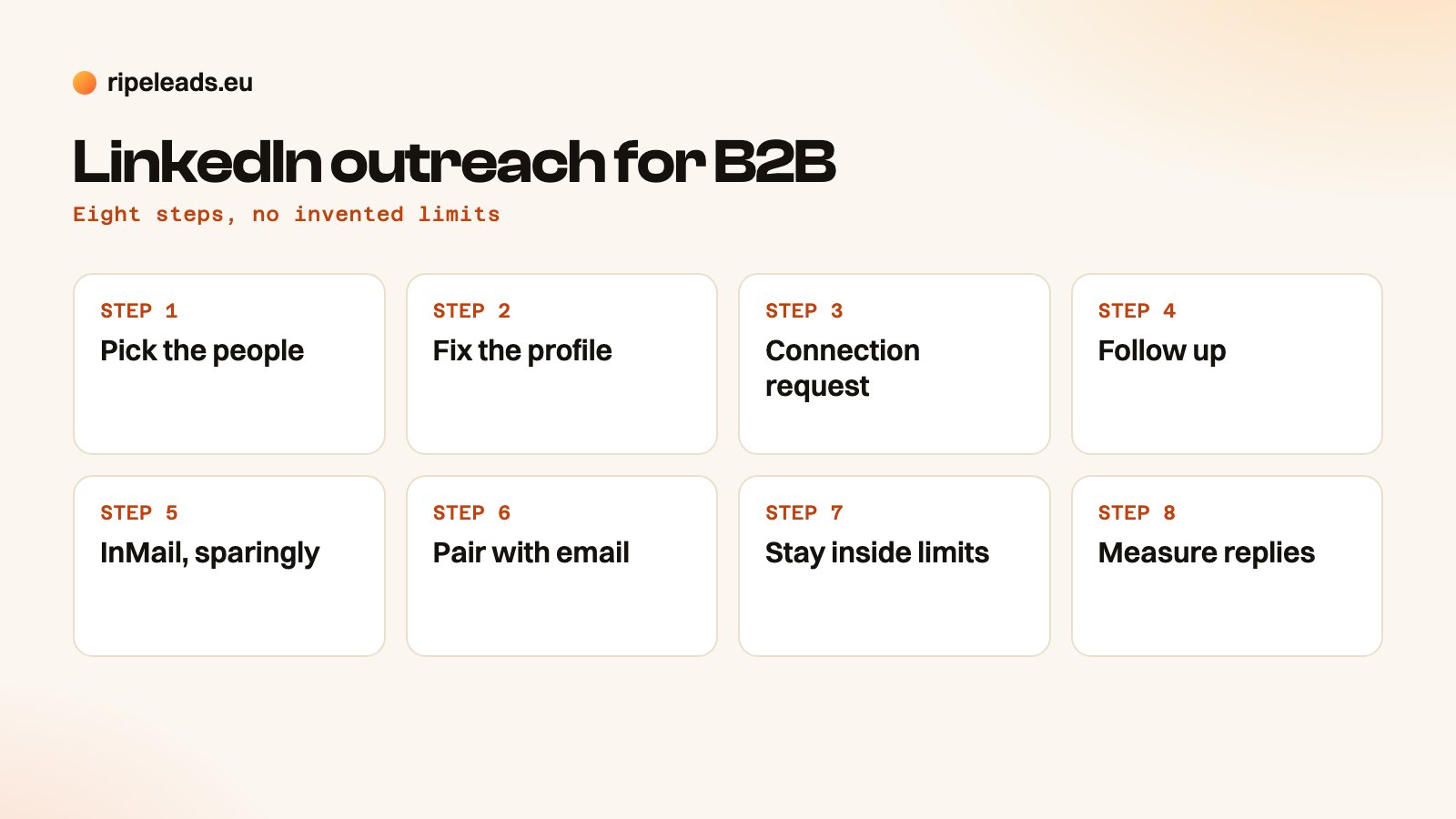
LinkedIn outreach is contacting B2B buyers through LinkedIn connection requests, messages and InMail, instead of or alongside email. It works in eight ordered steps: pick the right people, make your profile credible, send a connection request, follow up, use InMail sparingly, pair it with email, stay inside behavioural limits, and measure replies that matter. LinkedIn publishes no fixed daily limit, so pace and targeting protect the account more than any number does.
On this page
- What is LinkedIn outreach, and how does it work?
- Step 1: Pick the people
- Step 2: Make the profile do the selling
- Step 3: The connection request
- Step 4: The follow-up after they accept
- Step 5: InMail, when it earns its place
- Step 6: Pair LinkedIn with email
- Step 7: Automation and limits
- Step 8: What to measure
- LinkedIn only, email only, or both?
- When LinkedIn is the wrong channel
What is LinkedIn outreach, and how does it work?
LinkedIn outreach is the practice of starting a sales conversation with a business buyer on LinkedIn. You find a person, ask to connect, message them once they accept and keep the conversation going until they answer or say no. Done well it reads like a note from a colleague. Done badly it reads like the spam it is.
Three kinds of message carry the work. The table shows where each one lives and when it fits. Sales Navigator, the paid LinkedIn search product, adds filters for finding people by role, company size and location. It helps with targeting and does nothing for how much you can safely send.
| Message type | Where it lands | Length | Use it for |
|---|---|---|---|
| Connection request note | Attached to the invitation | One or two sentences | Getting accepted |
| Direct message | The chat, after they accept | Short, one idea | Starting the conversation |
| InMail | The inbox of someone you are not connected to | Short, one idea | People you cannot reach another way |
The steps below follow the order a campaign runs in. Each one links to the page that goes deep on it, so this page stays an overview you can read in one sitting.
Step 1: Pick the people
Outreach succeeds or fails on the list. Write down the type of company you sell to and the role that owns the problem before you open LinkedIn. The first part is your ideal customer profile. The second part is a matter of role logic: in a small company the owner usually decides, in a larger one a department head does. Our guide to finding decision makers on LinkedIn walks through the search filters.
Keep the list short enough that you could read every profile. A short, accurate list gives you the pace to write each note properly.
Step 2: Make the profile do the selling
Every connection request sends the reader to your profile before they answer. If the profile reads like a CV, the request dies there. Write the headline around the problem you solve for the buyer, and make the About section about them.
Step 3: The connection request
The request has one job, which is to get accepted. Mention something specific to the person, ask for nothing and leave the offer for later. A request that carries a pitch, a link and a meeting invitation gets ignored. The wording, with examples, lives on the connection request page, so we do not repeat templates here.
Step 4: The follow-up after they accept
Acceptance is permission to write, and it starts the clock on a small amount of goodwill. Spend it on something useful to them before you ask for time: a relevant observation, a short answer to a problem their role has, a question about how they handle it today. Send one idea per message and let the gap between messages be days, not hours. The habit behind this is covered in B2B social selling. A voice note can work as one distinctive touch, but it costs time per prospect, so keep it for accounts that justify it.
Step 5: InMail, when it earns its place
InMail is a paid message to someone you are not connected to. It feels premium because it costs credits, and that makes people overrate it. For most B2B outbound a connection request with a relevant note is warmer and costs nothing, and every message after it is free. Keep InMail for people you cannot reach any other way, or for moments when speed matters more than the credits. The comparison is in InMail vs connection requests.
Step 6: Pair LinkedIn with email
On our own campaigns LinkedIn does not run alone. Our LinkedIn lead generation page says it plainly: LinkedIn is strongest as one channel in a coordinated sequence. Email carries the argument and LinkedIn makes the name familiar, in one thread per person. A buyer who has seen your name on a connection request opens the email with a little context. An email in turn gives a reason to connect.
The rhythm is simple. Open with a connection request and no pitch, send the first email two days later, message on LinkedIn once the request is accepted, and give each later email a new angle instead of a bump. Close with a short last email so the sequence has a clear end.
The day-by-day version, with the gaps and the wording of each touch, lives in Email and LinkedIn in one sequence, which owns that sequence. The email side follows the cold email follow-up sequence, and the channel trade-offs sit in cold email vs LinkedIn outreach.
Step 7: Automation and limits
Some automation is reasonable: queueing connection requests to a list you vetted, spacing follow-ups with human-like delays, tracking who sits at which step and logging it to a CRM. Three things stay off the table. Do not scrape profiles from a logged-in account, do not auto-like or auto-comment, and do not send bulk InMail. They carry the most detection risk for the least return. A simple test applies: would you be comfortable if the prospect knew this action was automated? A scheduled follow-up passes. A robot commenting "Great insight!" does not.
People ask for the daily number. LinkedIn does not publish one and moves its enforcement over time, so any figure you read is somebody's guess. Third-party sites quote different ranges and none of them comes from LinkedIn. We use a behavioural rule instead: send what one person could plausibly send by hand in a working day, take less on a new or dormant account, and spread actions across working hours.
The real safety signal is your acceptance rate. People who accept requests tell LinkedIn the contact was wanted. A pile of ignored invitations says the opposite, whatever your daily volume was. Tight targeting protects the account more than any cap. Our page on LinkedIn automation and the line you should not cross lists the warning signs and what to do when one appears.
Step 8: What to measure
Count three things and define each one before the campaign starts. Acceptance rate is the share of connection requests that were accepted. Reply rate is the share of people reached who wrote back. A positive reply is one you would take a call on. In our own campaign reporting, a positive reply is one the client marked as worth a conversation, and every rate states its denominator. The campaign results PDF shows how.
Divide by people, not by messages. Three messages to one person is one person reached. Messages sent is a cost figure and says nothing about output. We give no benchmark rates here, because the figures that circulate come from tool vendors who do not show their sums. Your own acceptance and reply numbers on a first small send are worth more. The wider set of indicators is in the B2B sales KPIs worth tracking.
LinkedIn only, email only, or both?
The table gives a qualitative pick by situation. It is our reading of the trade-offs, not a measured ranking. The full comparison sits on its own page, so we keep this to the decision.
| Situation | Both | ||
|---|---|---|---|
| Decision-makers are active on LinkedIn | Fits | Fits | Best |
| The buyer is reachable only through a contact the company publishes | Weak | Fits | Only if some buyers are on LinkedIn |
| The addressable list is small | Risky, a restricted account stops everything | Fits on separate domains | Email leads, LinkedIn in small doses |
| The LinkedIn account is new | Go slowly, build activity first | Fits | Email leads |
| High-value account | Fits, by hand | Fits | Best |
| The campaign runs in several languages | Works if the profile reads in the buyer's language | Fits | Best |
When LinkedIn is the wrong channel
Skip it when the buyer is not on LinkedIn. Our homepage shows an example: a message about Kraftfahrer CE drivers goes to the contact the company printed in its own job advert. That contact is already the right person and already public. A LinkedIn search for the same person adds a guess about a profile that may not exist or may never be opened.
Skip it too when the profile is thin and generic, because the request will not survive a glance at it. Think twice when the list is so short that one restricted account would stop the whole campaign. Rules differ by country as well. Check the GDPR and compliance guides in the cards below before you send.
Frequently asked
What is LinkedIn outreach?
How many LinkedIn connection requests can you send per day?
Does LinkedIn outreach work?
Is LinkedIn automation safe?
Is LinkedIn outreach better than cold email?
Does Ripe Leads run LinkedIn outreach?
Can LinkedIn ban my account for automation?
Want LinkedIn and email run as one sequence?
We write the messages in the buyer's language, run LinkedIn at a human pace alongside email and send every interested reply to your inbox. See the pricing or book a short strategy call.
Book a strategy call Or get a free target list first