


Sales Automation Examples: What to Automate First
Automate the repetitive and forgettable, in that order
The short answer
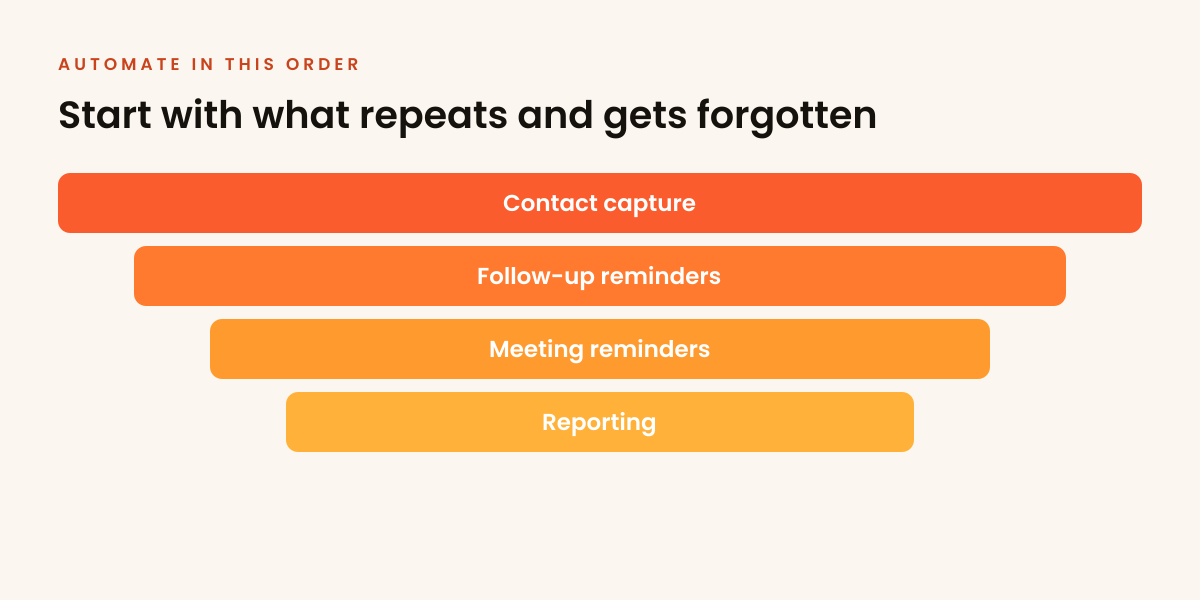
Sales automation is software handling repetitive sales steps, like logging a contact, sending a follow-up reminder or alerting someone to a stage change, without a person doing it by hand each time. Automate what repeats and gets forgotten: contact capture, follow-up reminders, meeting reminders. Leave judgement and relationships to people. Automating without a process just gives you faster chaos.
"Let us automate sales" sounds like a solution and frequently becomes a second problem.

On this page
- What to automate, and when
- Automate repetition, not relationships
- Sales automation examples: the three that pay off fastest
- A three-question test before automating anything
- Process before automation
- What can wait
- How to roll one automation out without breaking things
- What earns its place after the basics
- The costs nobody budgets for
- Common sales automation mistakes
- If you are thinking you need a bigger stack
- It speeds up flow, it does not create it
What to automate, and when
Sort every candidate by when it earns its place. The first group pays off in weeks. The last group is where the judgement sits.
| When | What to automate | Why |
|---|---|---|
| First | Contact capture into the CRM, follow-up reminders, meeting reminders | Boring, high-volume and done badly by humans |
| After the basics run for a couple of months | Suppression of opted-out contacts and customers, list hygiene jobs, stage-change alerts | Protects the sender and stops deals sitting untouched |
| Later | Scoring rules, branching sequences, integration chains | Useful only once the process runs smoothly |
| Never | Conversations, qualification and relationship building | They need judgement, and people notice when they are mechanical |
Budget about an hour a month per meaningful automation for upkeep. The place to record the output is a CRM that your team updates, and the choice between automating and buying demand is in AI automation or lead generation.
Automate repetition, not relationships
The dividing line is judgement. Anything that repeats and requires no decision is a candidate. Conversations, qualification and relationship building are not. Over-automation makes communication mechanical, and people notice immediately. The same line applies to Lead generation in France: what works in 2026: it drafts and sorts well, it does not hold a relationship.
Sales automation examples: the three that pay off fastest
These are boring, high-volume and consistently done badly by humans:
- Contact capture into the CRM, instead of manual typing.
- Follow-up reminders, so nothing is dropped.
A three-question test before automating anything
Run every candidate task through the same short check. If it fails any of the three, leave it alone for now.
- Does it repeat at least weekly? A quarterly task rarely earns the build and maintenance cost.
- Does it run the same way every time? If the steps change with context, you are automating a decision, not a task.
- Does a human need to read the output? If the answer is no, automate freely. If yes, the output has to be good enough that nobody rewrites it, or you have added work instead of removing it.
Most failed automation projects fail question two. Someone encodes a rule that held for the last ten deals, and the eleventh deal breaks it quietly. Work that never runs the same way twice is exactly the gap between rule-based email automation and AI automation.
Process before automation
Automating a broken process gives you a faster broken process. You need to know how contacts are entered, what the stages mean and when follow-up happens before any of it is worth encoding. Automation amplifies order; it does not create it.
What can wait
Scoring rules, branching sequences, integration chains. All useful eventually, none useful before the basics run smoothly, and all of it sits in the territory of marketing automation for B2B lead generation. Starting there is building the roof first, and it is the usual reason teams abandon a tool in month two.
How to roll one automation out without breaking things
One at a time, and small enough to reverse. A workable sequence:
- Write the manual steps down first. If nobody can describe the process in six lines, it is not ready to encode.
- Automate the narrowest version. One trigger, one action, one owner.
- Run it alongside the manual process for a week. Compare outputs before switching off the human version.
- Add an alert for failure. Silent failure is the expensive kind, and an automation nobody notices has broken can waste a month of follow-ups.
- Give it an owner and a review date. Every rule needs a person who checks whether it still holds.
- Only then move to the next one.
Teams that install six automations in a weekend usually spend the following month unpicking which one changed a field. Sequencing costs nothing and removes that entirely.
What earns its place after the basics
Once capture, follow-up and meeting reminders run reliably for a couple of months, three additions tend to pay off: automatic suppression of contacts who opted out or already became customers, list hygiene jobs that flag stale records before they bounce, and simple stage-change alerts so a deal never sits untouched for three weeks. All three remove errors rather than adding activity, which is the pattern worth repeating. Keeping the underlying records clean matters more than any of them, and list decay and maintenance explains why.
The costs nobody budgets for
Licence fees are the visible cost and the smallest one. The real spend sits in three places: the hours to configure the rules, the hours to fix them when a field name or a sequence changes, and the damage a wrong rule causes before anyone spots it. A merge tag pointing at an empty field will send a hundred emails addressed to nobody, and the cost of that lands on the sender reputation, not on the invoice. The failure modes are set out in what happens when merge tags break.
Budget maintenance time deliberately, roughly an hour a month per meaningful automation, and the tooling stays useful. Skip it and the stack quietly rots until someone declares the tool a failure and buys another one.
Common sales automation mistakes
- Automating personalisation badly. A merge tag is not personalisation, and a broken one is worse than none. Fix: use variables that are always populated, and check the fallback text. Doing this properly at volume is its own discipline, covered in personalisation at scale.
- Automating the reply. The moment a prospect answers, a person takes over. Fix: route replies to a human within the working day and leave automation the admin that follows, which is where outbound and AI automation meet in one pipeline.
- Stacking tools that do not talk to each other. Fix: choose fewer tools that integrate, and check the integration before buying, not after.
- Encoding a process nobody follows. Fix: fix the process on paper first, then automate the version people follow.
- No off switch. Fix: every sequence needs a rule that stops it on reply, on a booked meeting and on an opt-out.
- Measuring activity instead of outcome. Fix: judge an automation by whether meetings or pipeline moved, not by how many actions it fired.
If you are thinking you need a bigger stack
The common instinct when outbound underperforms is to buy another tool. In practice the constraint is almost never automation capacity. It is list quality, targeting or offer. A team sending to a weak list with an unclear offer will get the same result faster after automating, and faster failure feels like proof that outbound does not work.
A simple diagnostic: if reply rates are low, the problem is upstream of any tool. If replies arrive but follow-up is inconsistent and meetings get forgotten, that is exactly what automation fixes. Match the fix to the symptom, and check it against the KPIs worth tracking rather than a feature list.
It speeds up flow, it does not create it
Worth stating plainly: automation processes what already arrives. An automated empty pipeline is still empty, just more efficiently. The flow of new conversations has to exist first.
Frequently asked
What should I automate first in sales?
Can sales be fully automated?
What is the most common sales automation mistake?
What is the difference between sales and marketing automation?
Does marketing automation generate B2B leads on its own?
Should cold outbound and marketing automation run on the same system?
What are examples of sales automation?
How do I know a task is ready to automate?
How much does maintaining a sales automation cost?
Rather not build this yourself?
We run the targeting, data, copy and follow-up as a done-for-you service, and send the interested replies straight to your inbox. You bring the close.
Book a strategy call Or get a free target list first