


Email domain warm up: a day-by-day schedule that does not burn a new domain
The short answer
Email domain warm up means starting a new sending domain at roughly 10 to 20 emails a day per mailbox and raising volume in steps over several weeks. Set up SPF, DKIM and DMARC first, send campaigns only from a separate domain, and scale by adding warmed mailboxes rather than pushing more through one. A new domain has no reputation, so volume on day one looks like spam software.
A brand new mailbox that sends five hundred emails on its first day is behaving in a way no human ever does. Mailbox providers notice immediately.

On this page
- What warm-up actually is
- Why skipping it burns the domain
- A sensible ramp
- Never send campaigns from your main domain
- Scale with mailboxes, not volume
- Authentication comes before warm-up
- SPF, DKIM and DMARC in plain terms
- A week-by-week warm-up timeline
- Email domain warm up schedule, day by day
- Warm-up tools, and what they do not fix
- A warm up checklist that needs no tool
- Common warm-up mistakes
- What this means for planning a campaign
- Why people skip it
What warm-up actually is
Warm-up is the process of introducing a new sending domain or mailbox gradually: a small number of emails at first, increasing over weeks. The goal is to build a sender reputation by behaving normally, rather than arriving as a sudden burst of traffic.
Why skipping it burns the domain
A new domain carries no history, so providers have no reason to trust it. Send heavily straight away and three things follow:
- Filters treat the pattern as automated sending.
- Messages start landing in spam instead of the inbox.
- The domain's reputation is damaged, sometimes past repair.
A sensible ramp
The specifics vary by provider, but the shape does not:
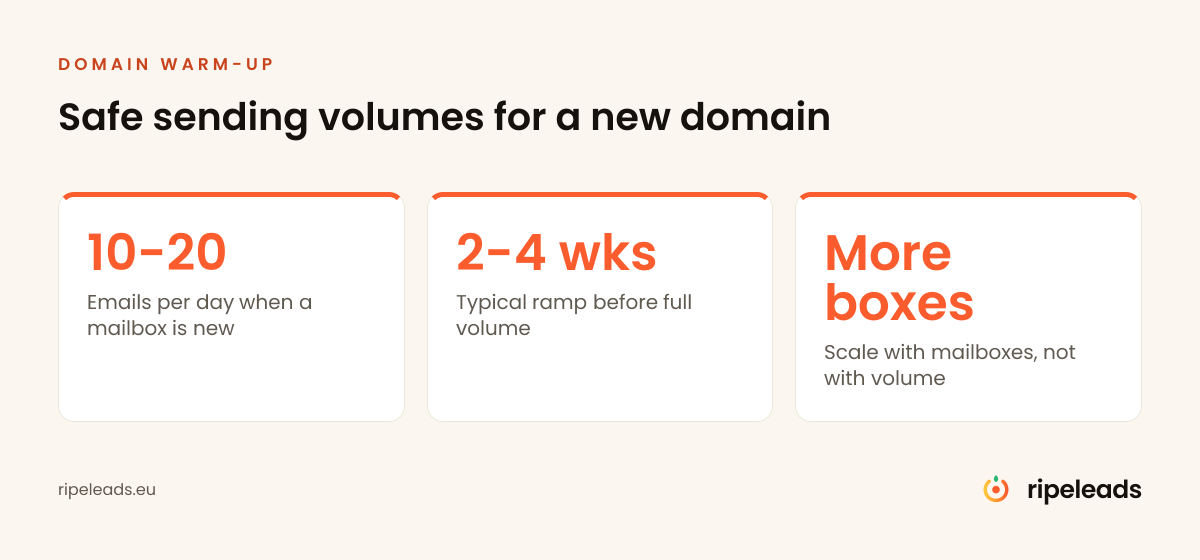
- Start small, roughly 10 to 20 emails a day.
- Increase gradually, over weeks rather than days.
- Watch quality, not just volume, replies and delivery should hold as you scale.
Never send campaigns from your main domain
Use a separate domain for outbound. If a sending reputation gets damaged, you want that contained, not affecting invoices, support and everyday correspondence on your primary domain. This is cheap protection and skipping it is an unforced error.
Scale with mailboxes, not volume
Once warmed, a mailbox still has a practical daily ceiling. The way to grow is more warmed mailboxes each sending a safe amount, not one mailbox pushing more.
Each new mailbox needs its own warm-up before it joins a campaign.
Authentication comes before warm-up
Warm-up builds reputation, but only on a domain that is set up to have one. Before the first warm-up email goes out, the domain needs SPF, DKIM and DMARC records in place, a real mailbox provider behind it, and a normal-looking setup: a landing page on the domain, a sensible from name, a signature with a real address. Providers score the whole picture. A domain with no DNS records and no website that starts sending on day three of its existence has already answered the question filters are asking about it.
SPF, DKIM and DMARC in plain terms
Each record answers a different question a receiving server asks about your mail.
| Record | What it does | Where you set it |
|---|---|---|
| SPF | Lists the servers allowed to send mail for your domain | A TXT record in the domain's DNS |
| DKIM | Adds a cryptographic signature to each message that the receiver checks against a public key you publish | A key published in DNS, switched on in your mail provider |
| DMARC | Tells receivers what to do when SPF or DKIM fails, and where to send reports | A TXT record at _dmarc on your domain |
Publish all three before the first warm-up email goes out, then send a test message to your own accounts and read the headers to confirm SPF and DKIM pass. Authentication does not create a good reputation. It stops a new domain from looking like a forged sender while the reputation builds. The full setup we run is described in the infrastructure article linked in the authentication section above.
A week-by-week warm-up timeline
Providers differ and none of them publish their thresholds, so treat what follows as the ramp we use on our own infrastructure rather than a rulebook. Watch the signals at each step and slow down if any of them turn:
- Week 0, before sending: register the domain, set up authentication, create mailboxes, let the domain age. Two to four weeks of quiet existence before any volume helps; a domain registered on Monday and blasting on Wednesday is a known spam pattern.
- Weeks 1 to 2: 10 to 20 emails a day per mailbox, ideally with genuine replies coming back. Positive engagement, opens, replies and messages moved out of spam, is what teaches filters the traffic is wanted.
- Weeks 3 to 4: increase in steps, not jumps, towards the mailbox's normal working volume. Hold each level for several days and watch bounces and spam placement before taking the next step, and stop climbing the moment either one moves against you.
- Week 5 onwards: begin real campaign volume gently, keeping some warm-up activity running in the background. A mailbox that only ever sends cold email and never receives anything looks odd for as long as it lives.
Email domain warm up schedule, day by day
| Day range | What you do | Volume per mailbox | Stop signal |
|---|---|---|---|
| Before day 1 (two to four weeks) | Register the domain, publish SPF, DKIM and DMARC, create mailboxes, add a landing page and a signature with a real address, let the domain age | None | Any record failing a header check |
| Days 1 to 14 | Send to real contacts and test accounts, get genuine replies, keep each message plain text | 10 to 20 emails a day | Any message landing in spam on a test send |
| Days 15 to 28 | Increase in steps and hold each level for several days before the next step | Stepped increase from the day 1 level | Bounces or spam placement moving against you: stop climbing and hold |
| Day 29 onward | Begin real campaign volume gently and keep some warm-up activity running in the background | Gentle campaign volume, then add mailboxes rather than volume | Bounce rate above low single digits |
This is the ramp we use on our own infrastructure, not a rule any mailbox provider publishes. Providers do not publish their thresholds, so the stop signals matter more than the dates. When one fires, hold the current volume until delivery recovers.
Warm-up tools, and what they do not fix
Most sending platforms now include automated warm-up: networks of mailboxes that exchange messages, open them and pull them out of spam to simulate engagement. Used moderately, they compress the early weeks and keep a baseline of positive signals running. They are not a licence to skip the ramp. Mailbox providers actively look for warm-up network patterns, and a domain whose only positive engagement comes from a simulation while its real campaigns bounce and get flagged will not stay healthy. The tool supports the process; list quality and sane volume still decide the outcome.
A warm up checklist that needs no tool
You can warm a domain without any warm-up tool. Work through this list in order and tick each line before you move to the next.
- Register a separate domain for outbound, never the one your invoices travel through.
- Publish SPF, DKIM and DMARC and confirm both SPF and DKIM pass in a test message header.
- Put a real mailbox provider behind each address, with a sensible from name and a signature carrying a real address.
- Add a landing page on the domain so it looks like a business, not a sending shell.
- Let the domain age for two to four weeks before any volume.
- Start at 10 to 20 emails a day per mailbox, to people who may reply, and answer every reply the same day.
- Send test messages to your own accounts each week and check whether they land in the inbox or in spam.
- Verify the list before the first campaign and keep bounces in low single digits.
- Add a new warmed mailbox for more volume instead of raising the cap on one.
A tool compresses the early weeks but changes none of the steps above.
Common warm-up mistakes
- Jumping volume after week one. The ramp feels slow, results feel far away, so the daily cap triples overnight. That spike is exactly the signature warm-up exists to avoid. Patience here is the whole method.
- Warming the domain, not the list. A perfectly warmed domain sending to an unverified list burns anyway, because hard bounces are among the strongest negative signals. Run verification before the first campaign, and keep bounce rates low single digits.
- One domain for everything. Outbound belongs on a separate sending domain, full stop. The main domain carries invoices and contracts; it should never carry campaign risk.
- Ignoring early spam placement. If test sends to your own accounts land in spam during week two, pausing and diagnosing beats pushing on. Reputation damage compounds; catching it early is cheap, repairing it later is not, as the deliverability guide linked earlier covers.
- Letting warmed mailboxes go cold. A mailbox that sits idle for a month loses part of its standing. Keep a low hum of activity between campaigns rather than stopping and restarting.
What this means for planning a campaign
Warm-up sets the calendar for any serious outbound effort. If a campaign needs 3,000 emails a month, that volume has to be spread across enough mailboxes sending safe daily amounts, and every one of those mailboxes needs its weeks of warm-up first. Working backwards, infrastructure has to start four to six weeks before the first real send, which is why agencies set up domains at contract signing rather than at campaign launch. The arithmetic of mailboxes, domains and daily caps is covered in capacity planning, and the operational side of running many mailboxes in the same article.
Why people skip it
Warm-up is slow and produces nothing visible, so it gets skipped in favour of sending immediately. The result is a burned domain and the conclusion that "cold email does not work." What did not work was cold email without a foundation.
For a plan that includes setup, see how to get your first B2B customers without a budget.
Frequently asked
What is email domain warm-up?
How long does warming up a domain take?
Can I send cold email from my main company domain?
Should I warm up my main company domain?
What does warmup not fix?
How do I warm up an email domain?
How many emails a day should a new domain send?
Do I need SPF, DKIM and DMARC before I warm up a domain?
Can I warm up a domain without a warm-up tool?
We handle the technical side
Separate domains, authentication, warm-up and volume management, so your campaigns reach the inbox from day one instead of week six.
Book a strategy call Or get a free target list first